Free Open Source Live Aggregated Cams Script
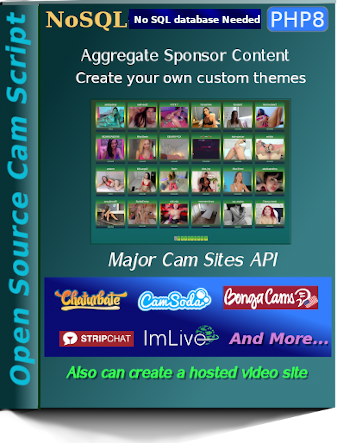
This script builds a website by using multiple APIs from different live webcam sites.
These sites pay you for each user that joins from your website.
The sites that pay you and provide the content API are often called sponsors; and
you will be called an affilate after signing up to promote their webcams.
Once this script is installed on your web server, it only takes seconds for the script to build
your entire website automatically.
Use the links below to join all the sponsors
 No SQL. This script does not require an SQL database.Open source code so you can build your own custom themesOrdinator creates unique order of content, better than white labelLive Cams Major live cams sites API already installedHosted Video Site Use sponsor hosted video dumps or your own videoReplace Affiliate IDs with your's in the site_config.php or you can not get paid!Written in PHP 8.2.11Safe and secure scriptUse Go.cam for free age verificationPlease donate paypal webmaster at econfirmpro dot com
Installing this script on your website
- Download and unzip the script on your computer.
- Edit the site_config.php to include the needed values.
- Use an FTP program like Filezilla and upload the files of the script to the desired folder on your domain.
- If this script will be your main content then you probably want to upload the script files to your domain's root folder.
- Request ordinator.php in your browser(the site will have errors if this is not run first)
- Change the name of ordinator.php so it is not requested again by accident or some bot.
- The site is now live
Editing the site_config.php values
Test theme option allows you to preview your custom built themes as you work on them.
$run_test_themes = "yes";
(yes or no) use yes to select your desired theme.
You must add any new theme name to the allowed themes array below.
$allowed_themes = array("white",
"green"
);
$run_test_themes = "yes";
(yes or no) use yes to select your desired theme.
You must add any new theme name to the allowed themes array below.
$allowed_themes = array("white",
"green"
);
Also includes video playing capabilities. Upload your video files and set the parameters in the script to use them.
Install the script in any directory on your site. This is good if you have a main site and want to add live cams.
The directory will set in the site confiruration file as follows :
$site_directory = "";
Use "" for root or
"/some_directory_you_created"
The blank value above sets up your cam site in your domain's root directory.
$site_directory = "";
Use "" for root or
"/some_directory_you_created"
The blank value above sets up your cam site in your domain's root directory.
Tell the script the path to your logo
$site_logo = "logo.png";
The above path means your logo is inside the theme folder you selected
$site_logo = "logo.png";
The above path means your logo is inside the theme folder you selected
The live cam feed API updates based on the number of seconds you chose
$update_secs = 120; how many seconds between update of live feed
$update_secs = 120; how many seconds between update of live feed
Chose the number of Thumbnails per page on your web site.
$thumbs_per_page = 24;
$thumbs_per_page = 24;
Chose the number of realted thumbs to appear on model profiles and video pages.
$num_related_models = 6;
$num_related_models = 6;
Select one cam feed as the site default and set the media type to "cams".
$default_feed = "camsoda";
$default_media_type = "cams";
$default_feed = "camsoda";
$default_media_type = "cams";
Select a default video supplier if using video
$defaultvideopage = "dogfart";
$defaultvideopage = "dogfart";
Create a site title
$site_title = "yourcams.com";
$site_title = "yourcams.com";
If you desire to use a side bar then select "yes" and which side the sidebar will float
$use_sidebar = "no";
(yes or no)
$sidebar_float = "left";
Enter left or right
$use_sidebar = "no";
(yes or no)
$sidebar_float = "left";
Enter left or right
Show multiple feed providers mixed together throughout your website
$mix_all_feeds = array("allcams"=>"xml", "camsoda"=>"xml", "chaturbate"=>"xml", "imlive"=>"xml", "stripchat"=>"xml");
The above example mixes camsoda, chaturbate, imlive and stripchat together. The $mix_all_feeds array must contain feed value 'allcams' for this to work correctly. And 'allcams' must be removed in not mixing feeds. All values must have "xml", even though the feed may be in JSON.
$mix_all_feeds = array("allcams"=>"xml", "camsoda"=>"xml", "chaturbate"=>"xml", "imlive"=>"xml", "stripchat"=>"xml");
The above example mixes camsoda, chaturbate, imlive and stripchat together. The $mix_all_feeds array must contain feed value 'allcams' for this to work correctly. And 'allcams' must be removed in not mixing feeds. All values must have "xml", even though the feed may be in JSON.
Show multiple video providers
$mix_all_video = array( "score", "blazingbucks", "dogfart")
The above example mixes score, blazingbucks, and dogfart together.
$mix_all_video = array( "score", "blazingbucks", "dogfart")
The above example mixes score, blazingbucks, and dogfart together.
Using Hosted Video
Hosted Video Dump Format
Example File Record :
This should all be on one contiguous line of course.
See the format in the available hosted video files.
Name the file in the diectory after the sponsor for example : score_video_hosted.php
The file name must have _video_hosted.php
if ($sponsor_nm == 'score' || !empty($mix_all_video)) {
include("hosted_video/score_video_hosted.php");
if (!empty($mix_all_video)) {
$temp = explode("\n",$score_video_hosted);
$xmlmodelsarray = array_merge($xmlmodelsarray,$temp);
}else{
$xmlmodelsarray = explode("\n",$score_video_hosted);
}
}
{site_name}|{video_url}|{pic_url}|{title}|{site_link}|{models}|{tags}
Example File Record :
sponsorname|https://sponsor.com/somevideourl.mp4|https://sposnsor.com/somevideothumbnail.jpg|Dakota Burns|http://join.somesponsor.com/youraffiliatecode|Dakota does something description|tag1,tag2,tag3
This should all be on one contiguous line of course.
See the format in the available hosted video files.
Place the video file in /hosted_video directory
Name the file in the diectory after the sponsor for example : score_video_hosted.php
The file name must have _video_hosted.php
Edit the add_hosted_video.php file
if ($sponsor_nm == 'score' || !empty($mix_all_video)) {
include("hosted_video/score_video_hosted.php");
if (!empty($mix_all_video)) {
$temp = explode("\n",$score_video_hosted);
$xmlmodelsarray = array_merge($xmlmodelsarray,$temp);
}else{
$xmlmodelsarray = explode("\n",$score_video_hosted);
}
}
Use Go.cam for free age verification